The STIHL iMOW is the master of your lawn when the garden is up to 5000 square metres! It mows the most complex surfaces and even climbs steep slopes. The disc cutting system, with three freely pivoting cutting blades in both directions, achieves a clean cutting pattern and mulches the grass, which in turn acts as fertiliser for the lawn. Ultrasonic sensors monitor the speed and help with manoeuvring. The EVO series robot mower can be controlled at any time using the Estonian-language MY iMOW® app via Bluetooth, Wi-Fi or mobile network.
Can the new-generation STIHL iMow use the cable installation of the previous-generation iMow RMI632, 522 or 422 models?
With an extremely simple installation, it is technically possible to adapt the installation of the RMI 632 model, but at least one guide cable must definitely be installed according to the instructions. However, it should be borne in mind that the previous-generation iMow used different distances when passing obstacles and different solutions for driving to the station and to additional mowing areas. As a result, faults may occur in the operation of the new-generation iMow robot mower. The installation of the RMI 422 and 522 models is not suitable because of the cable-installation distances from separated areas. STIHL explicitly recommends removing the old installation completely and carrying out a new installation according to the instructions for the new-generation mower.
In what temperature range can the new-generation iMOW® be used?
For the optimal functioning of the robot mower, the docking station and the battery installed in the power source, observe the following temperature ranges:
Charging: + 5 °C to + 40 °C
Use: + 5 °C to + 40 °C
Storing the robot mower: + 0 °C to + 40 °C
Storing the docking station and power supply: -20 °C to + 60 °C
Does the iMow also mow in the rain?
The iMOW is equipped with a rain sensor whose sensitivity can be adjusted so that the iMOW mows even in heavy rain or stops mowing when it detects the first raindrops (including dew drops).
Does the iMow work on slopes?
The iMow 5/6/7 models are software-limited to working on slopes of up to 40%; the enhancement kit does not increase slope mowing but does prevent slipping on wet grass. The iMow 5EVO/6EVO/7EVO models are capable of driving on slopes of up to 45% when a wheel enhancement kit is added (track wheels and additional weight for the front wheels). The EVO models are capable of moving on slopes of up to 55% travelling straight and up to 60% travelling diagonally. NB! On slopes steeper than 40%, the guide cable must be installed diagonally.
Is the iMow suitable for all gardens?
Depending on the model, the iMow can mow areas of up to 5000 m². It is worth bearing in mind that the more complex and segmented the mowing area is, the longer the iMow takes to mow. Deep holes and hollows (5 cm <..) on the mowing area must be filled or levelled, as well as stones, stumps and roots protruding more than 1.5 cm above the ground.
What happens to the mown grass?
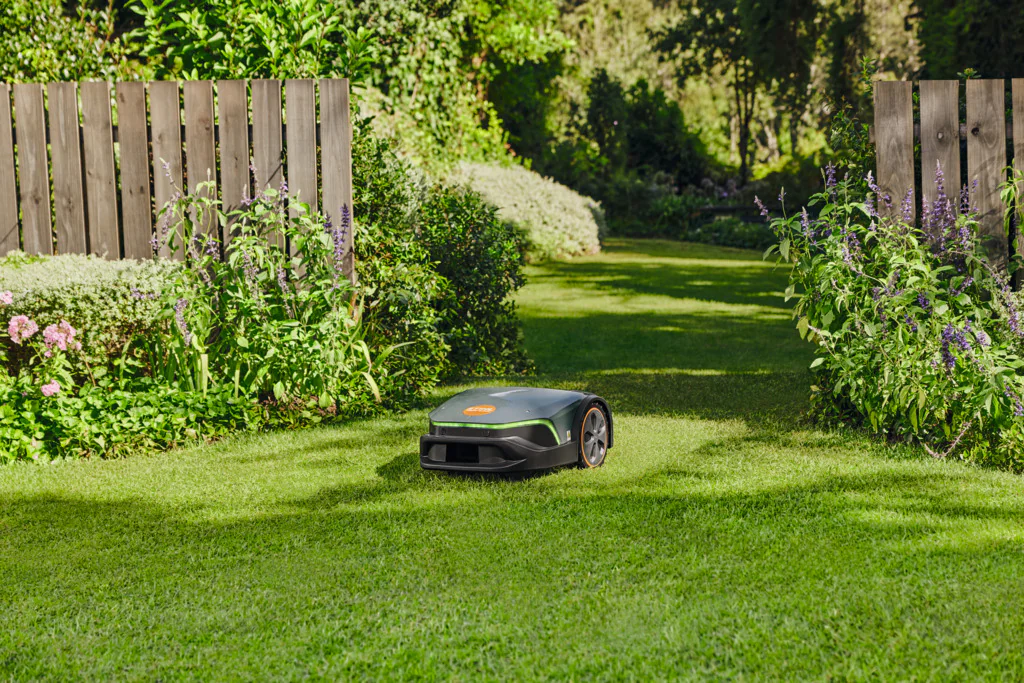
The iMOW is a mower with a mulching function and does not need a grass collection basket. During mowing, the mower shreds the blades of grass into small pieces with the mulching blade and leaves them on the mown surface as a biological fertiliser.
Can the iMow be set to mow track by track or in a pattern?
No, the iMow lacks the sensors that would allow its position in the garden to be detected with very high precision.
How does the iMow behave with lawn edges?
The iMow can be set via the MY iMOW app to mow over the cable. It is also possible to switch edge mowing on/off; this is carried out during general mowing every time the iMOW reaches the edge.
Browse the entire STIHL iMOW product range
Can the iMOW mow two different areas?
Yes, if the areas are connected to each other with a boundary cable. Two different options:
1. a mowing area that the iMow drives to on its own, but a passage must be installed according to the installation instructions
2. a mowing area that the iMow does not drive to on its own, but the user can lift the robot there and start mowing manually; in that case the iMOW runs until the set time or until the battery is empty.
Contact your nearest official STIHL dealer for individual advice. Once you have chosen a suitable iMOW model, the dealer can draw up a plan for the area to be mowed. They will also help install the boundary cable and find the ideal spot for the docking station. Then you can programme the iMOW together and get it ready to start.
Can faults occur with other electronic devices?
The iMOW boundary cable emits a digital signal within a frequency range defined by regulations. Nevertheless, interference may occur in the operation of various devices if their signal frequencies overlap. The signal frequency transmitted by the new-generation iMOW can be easily changed by an authorised installer to ensure the trouble-free operation of the various devices.
Can the iMOW also mow at night?
Yes, the iMow can be set to mow around the clock regardless of whether it is dark or light outside. The new-generation iMOW is equipped with LED lights so that in the dark the user can more easily see where the mower is currently working in the garden. If desired, the lights can also be switched off via the MY iMOW app.
How often does the iMOW mow?
During the initial setup, the MY iMOW app draws up an optimal mowing plan based on the mowing-area size you enter in square metres. However, you can adjust and change the mowing plan as you wish. During the active periods in the mowing plan, the iMOW is allowed to switch between mowing and charging.
How does the iMOW behave with obstacles?
The new-generation iMOW is equipped with ultrasonic and impact sensors. When an obstacle is detected by the ultrasonic sensors, the iMOW reduces speed and, if the obstacle is large enough, makes a gentle bump and drives away from it. If the iMOW does not detect a bump, it drives over the obstacle. This function is useful, for example, with dandelions.

What security features does the iMOW have and how is it protected against theft?
All new-generation iMOW mowers are equipped with an access password (a STIHL ID account is required), a home zone and an alarm, which can be configured with the MY iMOW app. The security features can also be reset by an authorised dealer, but all resets require two-factor authentication and the reset history is stored in the manufacturer's database, meaning that by serial number it is possible to identify who reset the robot and when.
Can I control the IMOW mower manually?
Yes, the iMOW has buttons for starting and stopping mowing and for driving to the station. By default, the running time of a manually started mowing session is 60 minutes, but using the MY iMOW app this can easily be changed from 15 minutes to 23 hours and 50 minutes.
Does the iMOW have its own app?
Of course. Together with the new-generation iMOW, a completely new and user-friendly MY iMOW app was also created. Best of all, it is in Estonian!
What is the guide cable and how does the iMOW use it?
For all new-generation iMOW models, at least one guide cable must be installed. The iMOW uses the guide cable to drive to the charging station, to drive to additional mowing areas, to drive to the mowing zone and to mow within the mowing zone. Up to two guide cables can be used with the iMOW 5/6/7 models, and up to 3 guide cables with the EVO model. Up to three starting points can be assigned to each guide cable.
What is a starting point and a mowing zone?The starting point and the mowing zone go hand in hand. The starting point can be set on the guide cable at a defined distance in metres from the charging station. For each starting point, a mowing zone can be assigned to the right or left of that point, in which case the iMOW mows the area between the active guide cable and the perimeter. It is also possible to give each starting point a name in the MY iMOW app, which makes later management considerably easier.
Can I change the language of the iMOW's voice output?
The language the iMOW speaks can be changed, switched on and off, and the volume adjusted, via the MY iMOW app.
What does the iMOW use LED lights for?
The iMOW LED lights have only an indicative meaning and have no direct effect on the performance of the work. The LED lights have 3 different colours:
- WHITE: the iMow is waiting for work, charging or moving to charge
- GREEN: the iMow is working, has received a new command/setting from the MY iMOW app
- RED: the iMow has a fault and needs your help
How often should I check and clean the cutting unit?
At the start of the mowing season and in damp conditions, it is worth checking and cleaning the iMOW mowing system once a week to ensure a perfect cut. A damaged or worn blade can be replaced without tools, quickly and conveniently. The iMOW body is also sealed, which allows it to be washed and cleaned with water (with a garden hose, for example). NB! A pressure washer is not permitted, however.
How can I set up the iMOW?
There are three ways to connect to the iMOW:
- The Bluetooth connection between the iMOW and a smartphone allows all iMOW settings to be changed, as well as pairing the iMOW with the local WiFi network (NB! A STIHL ID account is required).
- Via the WiFi network, the MY iMOW app can be used to change settings from any corner of the world; the main thing is that the WiFi signal reaches the iMOW.
- In addition to the above, 2G/4G mobile networks can only be used on the EVO models.
Is the MY iMOW app free?
Yes, the MY iMOW app is free and there are no in-app purchases either.
Is the mobile connectivity of the iMOW EVO models chargeable?
No, STIHL has taken on the costs relating to data exchange over the mobile network between the iMOW and the MY iMOW app.
What do I need to know about storing the iMOW?
For successful winter storage, switch off the mowing automation, the alarm and the home zone via the MY iMOW app, and make sure the battery is at least 50% charged. Then activate the storage mode according to the operating instructions. STIHL recommends using the winter period for a more thorough cleaning and servicing of the iMOW at authorised dealers. You may leave the docking station on the mowing area for the winter, but you should definitely cover the docking-station tower with a bucket or some larger container and secure it. If the docking station is located under the eaves, bear in mind the icicles and snow falling from the roof in winter, which may damage the docking station.
Can I install the iMOW myself?
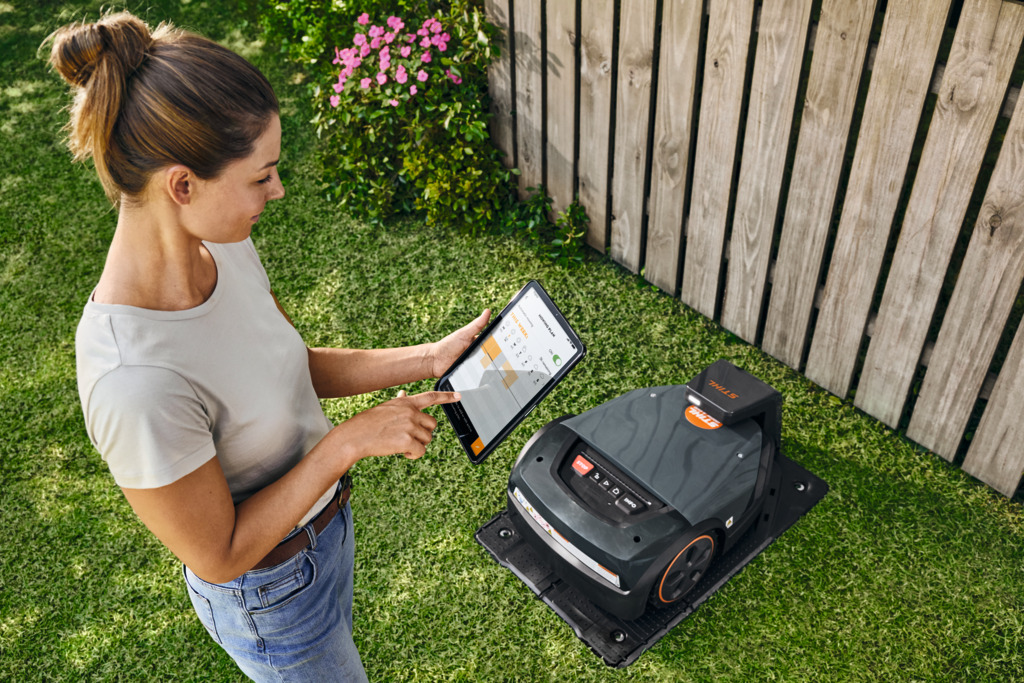
Yes, you can; just carefully follow all the installation requirements and then you can be sure the iMOW will work without faults.
Is the maximum length of the guide cable limited?
No, the length of the guide cable is not defined, but it is still worth following the logic of ensuring the shortest possible route from the perimeter to the charging station.
How do I get a STIHL ID account?
To get a STIHL ID account, all you need to do is create an account in the MY iMOW app. A STIHL ID account allows you to protect the iMOW against theft and to receive notifications.
What does the smart stuck detection involve?
The iMOW cyclically checks, via various sensors, whether it is actually moving or not. If, for example, there is no micro-movement of the bump cover when the drive motors brake. In that case, the iMOW performs a release manoeuvre, i.e. it stops the drive wheels and the blade motor, raises the cutting unit to its maximum height, turns 135 degrees and drives away; after a while it checks again and, if it no longer detects being stuck, it restarts the blade motor.
What is adaptive speed?
As the load on the drive wheels or the blade motor increases, the iMow reduces its travel speed to prevent the motors from overheating. The iMow also reduces speed when it detects an obstacle via the ultrasonic sensors, drives down a slope or reaches the boundary of a cable-separated area.
How does the iMOW drive to the charging station?
When the iMOW's operating time ends or the battery runs out, the iMOW drives to the first cable it encounters. This means that when the iMOW begins its journey to the station and first encounters the perimeter cable, the iMOW starts moving along the perimeter clockwise or anticlockwise. After a few metres, the iMOW offsets from the cable (0-100 cm) and drives either to the guide cable or to the station, depending on which is detected first. However, for driving to the charging station, the iMOW prefers the guide cable over the perimeter.
How large should the distance be from the guide cable and the perimeter cable to obstacles?
The distance from the guide cable and from obstacles bounded by the perimeter should match what is described in the manual. Obstacle-avoidance manoeuvres may not always be successful.